
User's Manual




Chapter 2. Installing and Set Up
2-4
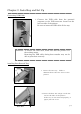
Connecting Power Cord
Connect the power cord according to the safety instructions below.
1. Insert the power cord attached to the
printer into the power connector located on
the rear of the printer.
Warning: When moving the printer, make sure to turn off the power of the
printer, remove the power cord in order to have no connection with
other devices. Otherwise, the power cord might be damaged and it
can cause the fire and electric shock.
Also there is a possibility to fall down caught by the cord.
Warning:
Avoid “pi
led up” connection. It can cause the fire and electric shock.
Warning: In case of not using the printer for a long time, remove the power cord
for safety.
Warning: Make sure to turn off the power of the printer before inserting the
power cord.
Warning: Make sure to insert the power cord correctly. If not, it can cause the
fire or the printer problem.
Warning: Do not insert or remove the power cord with wet hands.
It can cause the electric leakage.
Warning: Do not make any damage or any modification to the power cord. Put
the heavy items on the power cord, give a strong pull to the power
cord and twist the power cord can cause the fire and electric shock.