
Installation guide




9
4. At the InstallShield Wizard Complete, click
Finish.
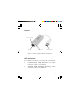
5. Plug the USB 3.0 Gigabit Ethernet Adapter
Pro into an available USB port (USB 3.0 is
recommended) of your computer, then plug
your network cable into the USB 3.0 Gigabit
Ethernet Adapter Pro.
6. Plug the other end of network cable into
your network hub, switch, or router. The
driver will install automatically.
7. Restart the computer.
To Verify Windows Installation
1. Check your Device Manager.
2. Double click Network adapter, ASIX
AX88179 USB 3.0 to Gigabit Ethernet
Adapter should be displayed.