
Installation guide




5
7. Wait for several minutes for driver
installation.
8. At Summary, click Restart to restart the
computer.
9. After rebooting, connect the USB 3.0 Gigabit
Ethernet Adapter Pro into an available USB
port (USB 3.0 is recommended) of your
computer, then plug your network cable
into the USB 3.0 Gigabit Ethernet Adapter
Pro.
10. Plug the other end of network cable into
your network hub, switch, or router. The
Adapter is ready for use.
To Verify MAC OS Installation
1. Go to Applications, Utilities, System
Profiler or System Information. Click
Extensions from the side bar, and you'll see
AX88179 displayed.
2. Click System Preference, then click
Network. Green bullet before AX88179...
means successful network connection.
If not, select AX88179..., then click Apply.
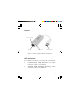
See Figure 2 on the next page.