
Operation Manual





9
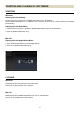
When the connection process has been completed, the display will be shown as below.
Main window changes to Home screen.
(Home screen)
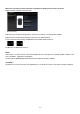
Name of the connected lens appears in orange in the History of connected lens window.
Name of the connected lens appears in orange in the Status window.
The connection lamp display of USB DOCK in the Status window turns on.
→
LED lamp of USB DOCK turns on.
Memo
When there is a newer version of firmware available for the connected lens, message [Latest firmware of the
lens is available…] appears in the dialogue.
Please read the [FIRMWARE UPDATE] section for details of firmware updates.
CAUTION !!
Please do not connect more than one USB DOCK to a computer at a time. It may lead to improper operation.