
Operation Manual





8
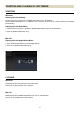
CONNECTING USB DOCK AND A LENS
CONNECTING USB DOCK AND A LENS
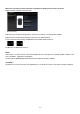
1. Start up the software (Display to encourage connection of USB DOCK and a lens appears in the Main
window).
2. Connect a lens to USB DOCK.
3. Connect USB DOCK and your computer using a USB cable.
CAUTION !!
Please position the lens on a stable surface with the front facing down. In case of a large lens, please
ensure the lens does not fall down by laying it laterally.
Please use the dedicated USB cable supplied with USB DOCK. Using another cable may cause a
malfunction.