
Operation Manual





5
INSTALLING AND UNINSTALLING SOFTWARE
Windows
How to install
CAUTION !!
If you have previous version of [SIGMA Optimization Pro] installed on your computer, uninstall it by using “Add
or Remove Programs” on a computer. It is not possible to install [SIGMA Optimization Pro] properly if previous
version of [SIGMA Optimization Pro] is already installed.
1. Please download the installer program according to instructions given on our website.
2. Double click on downloaded file [SOP_x.x.x_setup.exe] to start program installation.
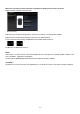
3. First, you have to choose the language of the program you install. Select the language and push the OK
button.
4. Then, carry out the install according to the procedures displayed in the screen.
How to uninstall
To uninstall the software, please uninstall it from Programs and Features in the Control Panel (for Windows 7).
Mac OS
How to install
CAUTION !!
If previous version of [SIGMA Optimization Pro] already has been installed on your computer, please delete the
[SIGMA Optimization Pro] folder in the “Application” folder before installing.
1. Please download the installer program according to instructions given on our website.
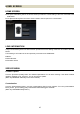
2. To start the installation drag and copy SIGMA Optimization Pro folder from [SIGMA Optimization Pro] Disk
Image to applications folder. Installation will be complete after being copied to this folder.
3. Select and open the Applications folder from “Go” in the Finder menu.
How to uninstall
Drag and drop the SIGMA Optimization Pro icon in the Applications folder into the trash box.