
Operation Manual





10
HOME SCREEN
HOME SCREEN
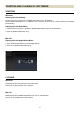
The [Lens Information] field in the Home Screen provides the current setting of the lens connected to the
USB DOCK.
The [Service Menu] field in the Home Screen leads to various options for customization.
(Home Screen)
LENS INFORMATION
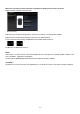
The [Lens Information] field in the Home Screen provides the current setting of the lens connected to the USB
DOCK.
The following is information of the lens presently connected to the USB DOCK.
Mount
Serial Number
Firmware Version
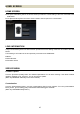
SERVICE MENU
Firmware Update
Click the [Firmware Update] button and SIGMA Optimization Pro will start checking if the latest firmware
update is available or not. If there is, you can process the update.
(Refer to [FIRMWARE UPDATE] for the further details).
Customization
Click the [Customization] button, and the [Customization Menu] screen appears. From the [Customization
Menu] screen, [Focus Setting] and [Customization Mode Setting] are available.
(Refer to [CUSTOMIZATION] section )