
Server User Manual

Table Of Contents
- SPARC® Enterprise M8000/M9000 Servers Product Notes
- Contents
- Preface
- General Information about XCP 1072
- Information about Hardware
- Information about Software
- XCP Issues and Workarounds
- Solaris OS Issues and Workarounds
- Software Documentation Updates
- Identifying Degraded Memory in a System
- Identifying Different Memory Sizes in a System Board
- Identifying Permanent Memory in a Target Board
- CPU Upgrade
- Installation Notes
- Adding a New CMU Equipped with SPARC64 VII as a New Domain
- Upgrading an On-CMU SPARC64 VI to SPARC64 VII, or Adding SPARC64 VII to an Existing CMU, to an Existing Domain Configured with SPARC64 VI
- Adding a New CMU Equipped with SPARC64 VII to an Existing Domain Configured with SPARC64 VI
34 SPARC Enterprise M8000/M9000 Servers Product Notes for XCP Version 1072 • September 2008
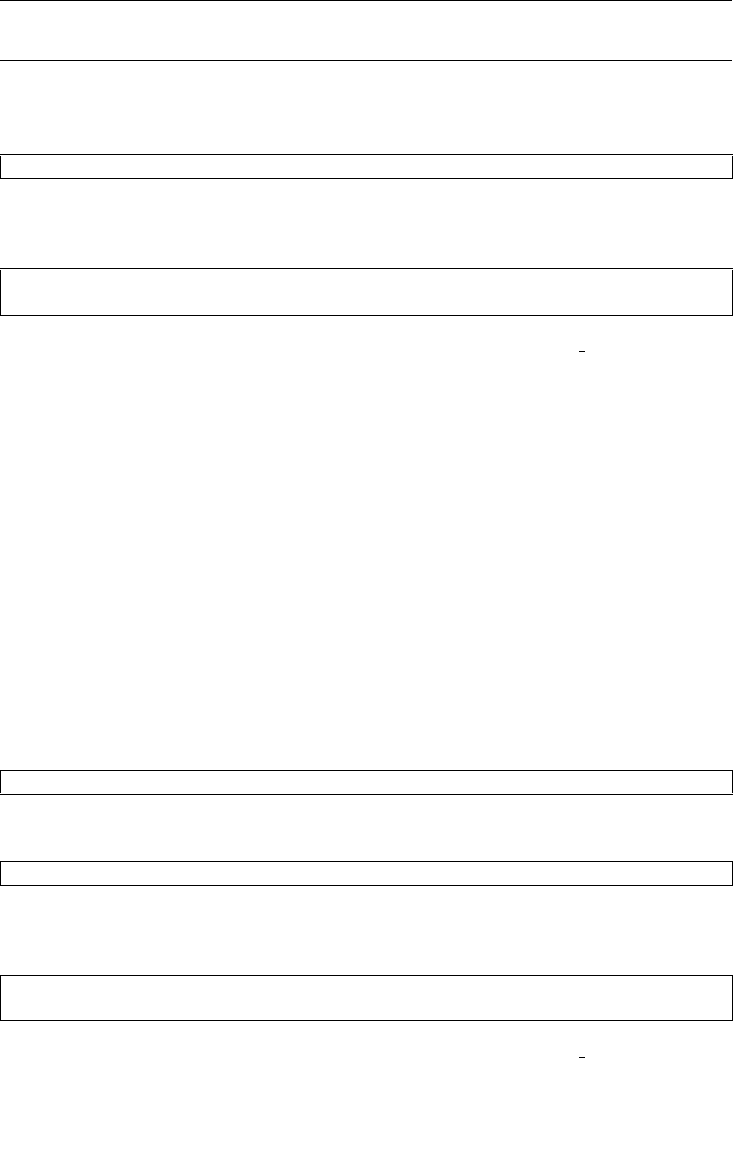
Note – Do not fail to execute the diagnosis of newly mounted CMU in the maintenance
menu of addfru(8) command.
10. Confirm that the mounted CPU module has been recognized by the server, and the
error indicator asterisk (*) is not displayed.
11. Confirm no abnormality occurred by using showlogs error -v and
showstatus(8) commands.
If you encounter any hardware abnormality of the XSCF contact a
service engineer.
12. Move the key position on the operator panel from Service to Locked.
13. Sets the following for the CMU.
■ Set up XSB.
■ Set up the domain
■ Set up the CPU operational mode of the domain.
For each setting, see the SPARC Enterprise M4000/M5000/M8000/M9000 Servers XSCF
User’s Guide.
14. Use the setdomainmode(8) command, disable the autoboot function of the
domain.
For detail, see the SPARC Enterprise M4000/M5000/M8000/M9000 Servers XSCF User’s
Guide.
15. Power on the domains.
16. Confirm that the target domain has been correctly started.
17. Confirm no abnormality occurred by using showlogs error -v and
showstatus(8) commands.
If you encounter any hardware abnormality of the XSCF contact a
service engineer.
XSCF> showhardconf -M
XSCF> showlogs error -v
XSCF> showstatus
XSCF> poweron -d domain_id
XSCF> showlogs power
XSCF> showlogs error -v
XSCF> showstatus