
Server User Manual
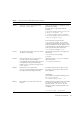
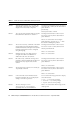
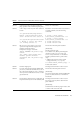
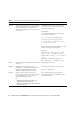
Table Of Contents
- SPARC® Enterprise M8000/M9000 Servers Product Notes
- Contents
- Preface
- General Information about XCP 1072
- Information about Hardware
- Information about Software
- XCP Issues and Workarounds
- Solaris OS Issues and Workarounds
- Software Documentation Updates
- Identifying Degraded Memory in a System
- Identifying Different Memory Sizes in a System Board
- Identifying Permanent Memory in a Target Board
- CPU Upgrade
- Installation Notes
- Adding a New CMU Equipped with SPARC64 VII as a New Domain
- Upgrading an On-CMU SPARC64 VI to SPARC64 VII, or Adding SPARC64 VII to an Existing CMU, to an Existing Domain Configured with SPARC64 VI
- Adding a New CMU Equipped with SPARC64 VII to an Existing Domain Configured with SPARC64 VI

14 SPARC Enterprise M8000/M9000 Servers Product Notes for XCP Version 1072 • September 2008
6481002 Installing the Solaris OS from the network
using certain PCI-Express cards may cause a
panic.
If you are using a Sun PCI-E Dual Gigabit
Ethernet Adapter MMF card or a Sun PCI-E
Dual Gigabit Ethernet Adapter UTP card, do
not install the Solaris using either of these
cards. Instead, use other network devices, such
as the onboard Gigabit Ethernet or another
network device.
6485555 On-board Gigabit Ethernet NVRAM
corruption could occur due to a race condition.
The window of opportunity for this race
condition is very small.
This bug has been fixed in Solaris 10 8/07.
For Solaris 10 11/06, this has been fixed in
patch 120011-08.
There is no workaround.
6496337 The "cpumem-diagnosis" module may fail to
load after uncorrectable error(UE) panic.
Systems will function correctly but events
normally automatically diagnosed by FMA
using this module will require manual
diagnosis.
Example:
SUNW-MSG-ID: FMD-8000-2K, TYPE:
Defect, VER: 1, SEVERITY: Minor
EVENT-TIME: Thu Feb 15 15:46:57 JST
2007
PLATFORM: SUNW,SPARC-Enterprise,
CSN: BE80601007, HOSTNAME: col2-ff-
em7-d0
This bug has been fixed in Solaris 10 8/07.
For Solaris 10 11/06, this has been fixed in
patch 125369-05.
[Workaround]
If problem occurred, implement the following
workaround:
1. Remove the following file.
# rm /var/fm/fmd/ckpt/cpumem-
diagnosis/cpumem-diagnosis
2. Restart fmd service.
# svcadm restart fmd
To avoid this problem in advance,
add "rm -f /var/fm/fmd/ckpt/cpumem-
diagnosis/cpumem-diagnosis" in
/lib/svc/method/svc-dumpadm file as
below.
#
# We haven't run savecore on a
dump device yet
#
savedev=none
rm -f /var/fm/fmd/ckpt/cpumem-
diagnosis/cpumem-diagnosis
#
TABLE 4 Solaris OS Issues and Workarounds (Continued)
CR ID Description Workaround