
Server User Manual
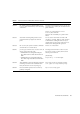
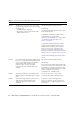
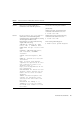
Table Of Contents
- SPARC® Enterprise M8000/M9000 Servers Product Notes
- Contents
- Preface
- General Information about XCP 1072
- Information about Hardware
- Information about Software
- XCP Issues and Workarounds
- Solaris OS Issues and Workarounds
- Software Documentation Updates
- Identifying Degraded Memory in a System
- Identifying Different Memory Sizes in a System Board
- Identifying Permanent Memory in a Target Board
- CPU Upgrade
- Installation Notes
- Adding a New CMU Equipped with SPARC64 VII as a New Domain
- Upgrading an On-CMU SPARC64 VI to SPARC64 VII, or Adding SPARC64 VII to an Existing CMU, to an Existing Domain Configured with SPARC64 VI
- Adding a New CMU Equipped with SPARC64 VII to an Existing Domain Configured with SPARC64 VI

Information about Software 25
6632549 fmd service on domain might fail to
maintenance mode after DR operations.
This has been fixed in patch 138050-01.
[Workaround]
If fmd service fails, issue the following
commands on the domain to recover:
# svcadm clear fmd
6660168 If a ubc.piowbeue-cpu error occurs on a
domain, the Solaris Fault Management
cpumem-diagnosis module might fail, causing
an interruption in FMA service.
If this happens, you will see the following
output in the console log:
SUNW-MSG-ID: FMD-8000-2K, TYPE:
Defect, VER: 1, SEVERITY: Minor
EVENT-TIME: Fri Apr 4 21:41:57 PDT
2008
PLATFORM: SUNW,SPARC-Enterprise,
CSN: 2020642002, HOSTNAME:
<hostname>
SOURCE: fmd-self-diagnosis, REV:
1.0
EVENT-ID: 6b2e15d7-aa65-6bcc-bcb1-
cb03a7dd77e3
DESC: A Solaris Fault Manager
component has experienced an error
that required the module to be
disabled. Refer to
http://sun.com/msg/FMD-8000-2K for
more information.
AUTO-RESPONSE: The module has been
disabled. Events destined for the
module will be saved for manual
diagnosis.
IMPACT: Automated diagnosis and
response for subsequent events
associated with this module will
not occur.
REC-ACTION: Use fmdump -v -u
<EVENT-ID> to locate the module.
Use fmadm reset <module> to reset
the module.
If FMA service fails, issue the following
command on the domain to recover:
# svcadm clear fmd
Then restart cpumem-diagnosis:
# fmadm restart cpumem-diagnosis
TABLE 4 Solaris OS Issues and Workarounds (Continued)
CR ID Description Workaround