
User Manual





Appendix:
Installation 236
---------------------------------------------------------------
14.8 Colour conversion
---------------------------------------------------------------
IMMMMMMMMMMMMMMMMMMMMMMMMMMMMMMMMMMMMMMMMMM M;
: :
"UNIGYR-VISONIK Insight" window
: :
Select "Options"
: :
Select "Colour Conversion"
: :
HMMMMMMMMMMMMMMMMMMMMMMMMMMMMMMMMMMMMMMMMMM M<
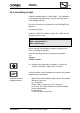
The selection of "Colour Conversion" influences the colour
when printing:
YES: The black colour is printed in white, and vice versa.
NO: The print is made in the original screen colours.
14.9 Background setup
---------------------------------------------------------------
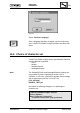
The background colour of UNIGYR-VISONIK is normally
white. You can, however, change this:
Proceed as follows:
IMMMMMMMMMMMMMMMMMMMMMMMMMMMMMMMMMMMMMMMMMM M;
: :
"UNIGYR-VISONIK Insight" window
: :
Select "Options"
: :
Select "Background"
: :
HMMMMMMMMMMMMMMMMMMMMMMMMMMMMMMMMMMMMMMMMMM M<
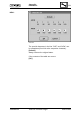
A window holding a list of the possible colours appears
together with two additional options, "Reset" and "Bitmap."
Reset: Returns the background colour to the default setting.
Bitmap: Allows you to select the desired background bitmap in the
"Open Bitmapfile" window.
14.10 Automatic loading of a picture when starting
Insight
---------------------------------------------------------------
If you wish to have a particular picture appear when you
start Insight, then you have to make the relevant entry into
the "UVI:PRF file by hand:
[UVI_AUTOSTARTUP]
PIC_AUTOLOAD=YES
PIC_NUMBER=#10
---------------------------------------------------------------
CM2B8523E UNIGYR VISONIK Insight March 1995