
User Manual





Appendix:
Installation 231
---------------------------------------------------------------
14.3 VISONIK network
---------------------------------------------------------------
In order to operate Insight in the system network, you have
to create a "SYS.INI" file and enter into it its own system
as well as all partner systems with the system prompt and
the octal system number.
Example: Man / $202
Gra / $204
Gub / $220
Note: A space exists before and after the slash mark (/).
14.4 Startup
---------------------------------------------------------------
IMMMMMMMMMMMMMMMMMMMMMMMMMMMMMMMMMMMMMMMMMM M;
: :
OS/2 workplace shell
: :
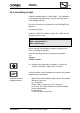
Open "UNIGYR-VISONIK" object
: :
Start "UNIGYR-VISONIK Insight" program
: :
➡ "UNIGYR-VISONIK Insight window"
: :
HMMMMMMMMMMMMMMMMMMMMMMMMMMMMMMMMMMMMMMMMMM M<
14.5 Choice of language
---------------------------------------------------------------
With the procedure described below, only the "UNIGYR-
VISONIK Insight" language is changed. To change the
language in the DCS too, the function XX must be invoked
in the dialogue.
IMMMMMMMMMMMMMMMMMMMMMMMMMMMMMMMMMMMMMMMMMM M;
: :
"UNIGYR-VISONIK Insight" window
: :
Select "Options"
: :
Start "Language"
: :
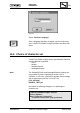
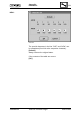
➡ "Language" pop-up window:
: :
HMMMMMMMMMMMMMMMMMMMMMMMMMMMMMMMMMMMMMMMMMM M<
---------------------------------------------------------------
CM2B8523E UNIGYR VISONIK Insight March 1995