
User Manual

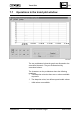





Trend Plot 122
---------------------------------------------------------------
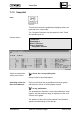
7.7.2 Zooming in/Unzooming out
Zooming in The zooming in function is initiated in different ways:
IMMMMMMMMMMMMMMMMMMMMMMMMMMMMMMMMMMMMMMMMMM M;
Zooming in
: :
"Trend Plot" window
with the factor 2:
: :
[ >< ] or:
: :
Select "Function"
: :
Select "Zoom In"
: :
HMMMMMMMMMMMMMMMMMMMMMMMMMMMMMMMMMMMMMMMMMM M<
Zooming in any section Above the first limiting time
to the whole
graph width:
Above the second limiting time
The selected section now occupies the whole width of the
graph.
After a zoom-in, the trend plot assumes the "Stopped"
status for 2 minutes. Thereafter, it changes back auto-
matically to "Active."
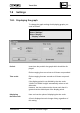
Zooming out Zooming out can be carried out until the displayed period
in the graph section reaches the maximum of 99 hours.
The "Zooming out" function is initiated as follows:
IMMMMMMMMMMMMMMMMMMMMMMMMMMMMMMMMMMMMMMMMMM M;
Zooming out
: :
"Trend Plot" window
with the factor 2:
: :
[ <> ] or:
: :
Select "Function"
: :
Select "Zoom Out"
: :
HMMMMMMMMMMMMMMMMMMMMMMMMMMMMMMMMMMMMMMMMMM M<
After a "Zoom out," the trend plot assumes the "Stopped"
status for 2 minutes. Thereafter, it changes back auto-
matically to "Active."
---------------------------------------------------------------
CM2B8523E UNIGYR VISONIK Insight March 1995