
User Manual




12345
678910
11
Calendar 104
---------------------------------------------------------------
6.2 Downloading catalogues
---------------------------------------------------------------
IMMMMMMMMMMMMMMMMMMMMMMMMMMMMMMMMMMMMMMMMMM M;
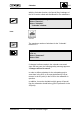
Loading from
: :
"Calendar" window
the DCS:
: :
Select "Command"
: :
Select "Load from DCS"
: :
➡ "Load Calendar from DCS/SS" window
: :
HMMMMMMMMMMMMMMMMMMMMMMMMMMMMMMMMMMMMMMMMMM M<
8522O42E
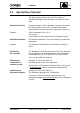
Inputs :
Substation or For calendar type = Exception (see below), a technical or
Calendar Group user address of a substation, e.g. "$12" must be entered.
For calendar type = Standard (see below), a Calendar
Group, e.g. "6" must be entered.
System Systemname, e.g.:
MAN
(For the in-house system, no entry must be made here.)
Type of calendar See above, under "Substation" or "Calendar Group."
Change the window title to:
"Calendar 2" or "Calendar $12"
---------------------------------------------------------------
CM2B8523E UNIGYR VISONIK Insight March 1995