
Installation manual




11
Control elements
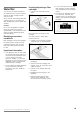
The control and display panel on the left−hand fridge compartment door is a touch panel.
You touch a key to trigger the corresponding function.
The control and display panel light goes out after around 1 minute if you do not touch a key.
1
2 7
8
10
3 4 5 6
11 9
1 "freezer/super" key
n For adjusting the temperature of
the freezer compartment.
n For switching the "superfreeze"
function on and off.
2 "quick ice" key
For switching the quick ice cube
production function on and off.
3 Water dispenser key
4 Crushed ice dispenser key
5 Ice cube dispenser key
6 alarm/lock" key
n For switching off the warning
tone.
n For switching the child lock on
and off.
7 "light/filter" key
n For switching the light for the ice
and water dispenser on and off.
n For resetting the filter display.
8 "fridge/super" key
n For adjusting the temperature in
the fridge compartment.
n For switching the "supercool"
function on and off.
9 Fridge compartment
temperature indicator
Displays the set temperature for
the fridge compartment.
10 Freezer compartment
temperature indicator
Displays the set temperature for
the freezer compartment.
11 Symbols on the display panel
"quick ice"
Quick ice function switched
on.
"lighting"
Ice and water dispenser light
switched on.
"Water filter"
State of filter cartridge.
"Childproof lock"
Childproof lock switched on.
deen
Downloaded from Fridge-Manual.com Manuals