
User's Manual





16
Using the directory and other lists
Gigaset A200 / IM eng / A31008-A200-J101-2-7619 / Directories.fm / 12.06.2003
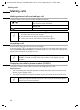
In order to use speed dialling:
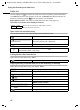
View entry from directory/network access list and change
Delete single entry from directory/network access list
Delete directory/network access list
Deletion means the selected list is selected with all entries.
either ...
Hold down speed dial number e.g. 2:
The previously saved network operator number is
displayed.
Enter phone number to be "linked".
or ...
Open directory.
[_________] [______________]
OK
Select entry and confirm.
Press the talk key.
or
Open directory or network access list
[_________] [______________]
MENU
Select entry and press display key.
[__________] [______________________________________________] [__________]
SHOW ENTRY OK
Select and confirm.
[______]
OK
Change phone number and confirm.
[______]
OK
If necessary change name (text entry page 31) and
confirm.
Long press (return to idle mode).
or
Open directory or network access list
[_________] [______________]
MENU
Select entry and press display key.
[__________] [______________________________________________] [__________]
DELETE ? OK
Select and confirm.
Long press (return to idle mode).
or
open directory or network access list
[_______________]
MENU
Press display key to open menu.
Press key L.
[_____________________________________________ _] [__________]
DELETE ? OK
Confirm safety check.
Long press (return to idle mode).