
User manual




Page 35
PT-7030: User Manual
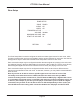
Level Calibration
The Level Calibration Menu allows you to manually calibrate the levels of each of your speakers.
(Levels are calibrated to compensate for differences in the level of the sound that reaches the
listener from each speaker. These differences may be caused by differences in speaker efciency,
differences in distance, and variations in room acoustics.)
This menu screen instructs the PT-7030 to play a calibrated test tone from each speaker
(as you step through each one in sequence). You may then use a sound level meter (or other similar
device) to measure the actual output of each speaker and adjust each using the on-screen level trim
adjustments. (Typically, the goal is to adjust each speaker so that the sound from each arrives at
the listening position at the same level.)
+ 6dB
+ 5 dB
+ 5 dB
+ 9 dB
-----
+ 9 dB
RETURN EXIT
LEVEL CALIBRATION
+ 6 dB
LEFT FRONT:
CENTER:
SUBWOOFER:
LEFT SURROUND:
BACK:
RIGHT SURROUND:
RIGHT FRONT: