
User manual




Page 31
PT-7030: User Manual
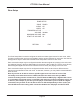
Preferences
The Preferences Menu is used to congure several basic system options on the PT-7030, including
the Record Out source, the Startup Volume and Maximum Volume for the main zone, and the
Default Language. Changing Software Update to YES and pressing Enter will open the Software
Update sub-menu, which is used to install rmware updates to the PT-7030. Changing Default to
YES and pressing Enter will open the Default Restore Options sub-menu, which is used to store and
recall user default settings, and to reset the PT-7030 to factory defaults.
SOURCE
45
NO
NO
ENGLISH
RETURN EXIT
PREFERENCES
Max
RECORD OUT:
START UP VOLUME:
DEFAULT:
SOFTWARE UPDATE:
LANGUAGE:
MAXIMUM VOLUME: