
User's Manual




connecttheproducttoyourBluetooth®enableddevice.
Note : When you turn on and switch the Bluetooth Speaker to Bluetooth Mode, it
will automaticallyconnect tothepairedBluetooth®enabledevice iftheyareinthe
requiredrange.
UsingBluetoothSpeaker
1.PlayingMusicofBluetooth®enableddevice
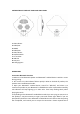
Connect your Bluetooth® Speaker to Bluetooth® enabled device following above
steps.Afterconnectedsuccessfully,youcanpress“PLAY“onyourBluetooth®device
or “mode” button on the front panel of product to play/pause the song. Long
press ”NEXT/VOL+“ or “PREV/VOL‐“to increase or decrease the volume. Short
press””NEXT/VOL+“or“PREV/VOL‐“toselectnextorprevioussong.
Note : You may also adjust the volume from your Bluetooth® enabled device's
volumecontrol.
2.ListentoUSB/TFcard
InsertUSBcard/TFcardintotheUSB/TFportofspeaker,theunitwillplaythesong
ofUSBcard/TFcardautomatically.Short press “mode”buttononthe frontpanel of
product to play/pause the song. Long press ”NEXT/VOL+“ or “PREV/VOL‐“to
increase or decrease the volume. Short press” ”NEXT/VOL+“ or “PREV/VOL‐“to
selectnextorprevioussong.
3.ListentoAUXfunction
ConnectoneendofAUXcabletotheBluetoothspeakerandtheotherendtoaudio
device.Thespeaker willplay thesongautomatically.Short press“mode” buttonon
the front panel of product to play/pause the song. Long press ”NEXT/VOL+“ or
“PREV/VOL‐“to increase or decrease the volume. Short press” ”NEXT/VOL+“ or
“PREV/VOL‐“toselectnextorprevioussong.
4.ListentoFMfunction.
InserttheMicroUSBendofUSBrechargeablecableintothechargingport,andleave
theotherendofthecableopen.USBrechargeablecableservesasFMAntennawhile
inFMRadiomode.
Long press “mode” buttonon fron tpanel of the unit to enterinto FM mode. Short
press“mode” tosearchandmemorizeFMchannelsautomatically,the Ledindicator
flashesquickly,thenitwillflashslowlywhenplayingthesoundofa FMchannel.Long
press ”NEXT/VOL+“ or “PREV/VOL‐“to increase or decrease the volume, short