
User's Manual


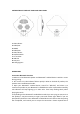


INSTRUCTIONOFPRODUCTPANELANDBACKPANEL
1.LEDIndicator
2.PREV/ VOL‐
3.MODE
4.PREV/ VOL+
5.LEDIndicator
6.ON/OFFSwitch
7.TFCardSlot
8.USBSlot
9.AUXport
10.ChargingPort
OPERATIONS:
ConnectionBluetoothFunction
1.MakesuretheBluetoothspeakerandBluetooth®enableddeviceiswithin1meter
duringpairing.
2.Turnontheunit,LEDindicatorflashesquicklyinBlueonthebackofproduct,the
speakerenterintoBluetoothmode.
3. Open your Bluetooth® enabled device, search for “BTS‐C28”, and select it to
connecttheproducttoyourBluetooth®enableddevice.Afterconnectedsuccessfully,
LED indicator will keep lighting up in blue color. Then keep flashing slowly when
playingthemusic.
4.DependingontheBluetooth®enableddevicewhichyouaretryingtoconnectitto
thespeaker,itmaybe necessarytotype a pass code. Pleasetype “0000” ifyouare
promptedbythedevice.YourBluetooth®enableddevicewill confirmthatthepairing
was completed, and remind you to accept the connection. Please respond YES to