
User's Manual





11N Wireless User Guide
58
Appendix 4 Clear Wireless Configuration
Clear Wireless configuration file under windows XP
1. Right click “My Network Places” on your computer desktop and select “Properties”.
2. Right click “Wireless Network Connections” and select “Properties”.
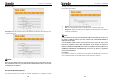
3. Click “Wireless Network Configuration” and clear the corresponding wireless
configuration file as shown below.
11N Wireless User Guide
59
Clear Wireless configuration file under windows 7
1. Right click “Network” and click “Properties”.
2. Click “Manage wireless networks” on the left side of the window.
3. Delete the corresponding configured file in the “Manage wireless networks”.