
Product Information

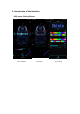


Scan QR code download APP
2. Turn on "Shining Glasses" APP, turn on Bluetooth
Note:
1 The first time you open APP, when have permission options, please all select permission
2 If android phone can not search for Bluetooth, please check if the positioning is open!
3. connection equipment:
Click "+"→ Select the glasses to control → Click the connection → Click on the blank page to
enter the main interface and search for the device name as GLASSES-XXXXX