
Quick Start Guide

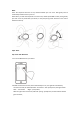

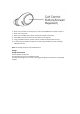


3.On your device, go to Bluetooth menu, select for: MS01B(BES), pair and connect.
You will hear “Connected” when pairing is complete.
Note:
Only the left earbud will connect to your device. The right one will connect to the left.
The left earbud may also be used as a single headset.
Tip:
When you hear “Right” from right earbud, “Left” from left earbud, both earbuds are
connected for stereo use. When you hear “Connected” your earbuds are connected to your
device.
Music
Start playing music on your music player and then control it with master earbud.
※ Press once to pause a track. Press again to resume.
※ Double-press to go to the next track.
※ Triple-press to go back one track
Calls
When making and answering calls, you can press master earbud.