15
2-2. The introduction of the main interface
Long press power button, after startup, the screen is locked.
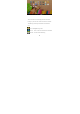
Slide the unlock icon to enter into the main interface as the
following pics shows. In this interface, you can view the state,
open the program and so on.