
User's Manual






12
1-3.Computer Connection & File Transfer
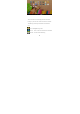
Connecting the product to the computer with USB cable, the
top status bar will show USB has connected. The product’s
default is charging for USB connection mode. If connecting
external mobile hard disk, you need to pull automatic running
list at the top status, then can see “USB connected” option.
Click the option, show USB status switch interface; according
to the note icon on the right bottom “Open USB storage
equipment”, switch into USB storage status. At this time the
users can access the external hard disk. At the status of USB
storage, click the icon again to disconnect USB and recover to
charge mode. USB storage mode system will limit the users’
1-4.Use of Touch Screen
There are various operation methods. You can view the main