
User's Manual


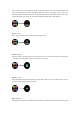


Upon entering heart rate monitoring menu, the underside heart rate sensor LED will flash, and
start monitoring heart rate after 8 seconds. Heart rate menu will display current heart rate,
historical highest and lowest heart rate. To stop manual heart rate monitoring and exit this menu,
swipe from left to right. The same info will be displayed on APP after synchronization.
■ Sport record
Enter sport record, can check the history data of sport mode.
■ Remote camera
Open the APP in your smart phone, and click camera icon in your smart watch, then can control to
take photos and the gallery will be saved in your smart phone.
■ Music control
Open this function inside APP settings, and open music APP in your smart phone, then you can
control to switch songs and pause the music.
■ Blood pressure
Open blood pressure and it will detect directly about 8 seconds, then show the data and sync data