
User's Manual




Page 20 of 25 pages Page 5 of 25 pages
Enter this menu to setup the digital audio output
format of different signal type.
Audio
Exit
Language
Rating
Video
Audio
Misc
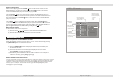
Rating
Enter this menu to setup the rating level of the player and
change the password.
Exit
Language
Misc
Video
Audio
Rating
Parental control : 8 Adult
Set Password
Down sampling
Night mode
:
OFF
:
OFF
Night mode:
OFF/ON
Down sampling:
OFF/ON
The IR Remote Control
Point the remote control no more
than about 3~4 meters (approx. 21
feet) from the remote control sensor
on the front of the player and keep
with in a 30 angle.
(1) Adjust Decrease
(2) Adjust Increase
(3) Title
(4) Eject
(5) Number buttons
(6) Clear
(7) Slow
(8) Program
(9) Mute
(10) Repeat
(11) Zoom
(12) play/pause
(13) Right Arrow
(14) Stop&Return
(15) Fast Reverse
(16) Fast Forward
(17) Previous
(18) Next
(19) Monitor Menu
(20) Power
(21) Menu/PBC
(22) Source
(23)Subtitle
(24)Display
(25) Audio
(26) USB/SD
(27) Up Arrow
(28) Setup
(29) Enter
(30) Left Arrow
(31) Down Arrow
(32) FM
(33) Volume+
(34) Volume-
Note:
The distance may vary according to the brightness of ambient light.
If the remote is not used for an extended period of time, remove the batteries to prevent possible
damage from battery leakage and corrosion.
Do not place any objects between the remote control unit and the sensor on the unit.
Do not use the remote control unit, while simultaneously operating the remote control unit of any
other equipment, they may interfere resulting in improper operation.
The batteries normally last for about one year although depending how often the remote control
is used. If the remote control unit isn't working even when it is operated near The Multimedia player,
replace one the batteries with new batteries of the same make.
Incorrect use of batteries may cause them to leak, corrode or explode.
If leakage from the battery occurs, wipe the battery liquid from the battery compartment before
installing new batteries.
Make sure the IR sensor is not obstructed by the canvas carry bag.
CLEAR
CLEAR
DISPLAY
DISPLAY
SUBTITLE
SUBTITLE
SLOW
SLOW
PROGRAM
PROGRAM
USB/SD
USB/SD
AUDIO
AUDIO
MUTE
REPEAT
REPEAT
POWER
POWER
CTRL
CTRL
MONITOR MENU
MONITOR MENU
SOURCE
MENU PBC
MENU PBC
TITLE
TITLE
EJECT
1
4
3
2
5 8
7
6
+
0
1
0/
0
1
9
ENTER
ENTER
SETUP
ZOOM
ZOOM
+
_
V
O
L
V
O
L
FM
1
3
4
5
6
7
8
9
10
11
12
13
14
15
16
17
18
19
20
21
22
23
24
25
26
27
25
29
30
31
32
33
34
2