
User's Manual




Page 4 of 25 pages
Page 21 of 25 pages
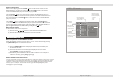
to enter the setting menu. Input the correct password, then press
Highlight " ", then press [ ENTER]Button
[ENTER] button again to change the setting:
Parental control
Parental Control
Default setting
Password
Parental control
: 8888
:8.Adult
Change Password
Highlight "Set Password" selection, and press [ENTER]
button to enter the setting menu. Input the 4 digit
password, press [ENTER] button. The rating lock will release.
Input the new 4 digits password,
The password will be changed and the rating lock will
lock up after pressing ENTER button.
1. Kid Safe
2. G
3. PG
4. PG-13
5. PG-R
6. R
7. NC-17
8. Adult
The 11 inch TFT color LCD Monitor
1-
2- SRC
3- Adjust decrease
4- Menu Selection: Brightness, Saturation, Sharpness, Contrast, Reset
5- Adjust increase
6- Control Sensor Pick Up
1 Press the [POWER] button to power on or off the TFT color LCD Monitor.
2 Press the [MENU] button to toggle between Brightness, Color, Contrast, Tint , and
adjust the level with the [ ] or [ ] button.
Note:
The TFT color LCD is made of glass and liquid, do not apply pressure on the screen
to prevent breakage and poor image quality.
Do not scratch the screen surface with hard materials and only clean with a soft dry
cloth.
12 634
5
SOURCE DOWN
MENU UP