
User's Manual


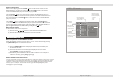


Track01
Track02
Track03
Track04
Track05
Track06
Track07
Track08
JPEG Preview
04/17 /Track04.CDA
Repeat:OFF
Mode:Normal
Music playing
Stop
Page 15 of 25 pages
While a disc is playing press the [REPEAT] button to select one of the available repeat
modes.
Repeat
1) For DVD discs;
a. press [REPEAT] to repeat a chapter
b. press [REPEAT] again to repeat a title
c. press [REPEAT] again to exit the repeat mode.
2) For non-DVD discs ;
a. press [REPEAT] to repeat a single track
b. press [REPEAT] again to repeat a folder
c. press [REPEAT] again to exit the repeat all disc
d. press [REPEAT] again to exit the repeat mode.
Press the [SUBTITLE] button to select the caption language e.g. English, Dutch,
Spanish, etc. Press the [SUBTITLE] button various times until you have selected
the desired language .
Select Subtitle Language
Note: Whether this function works depends on the disc type in use.
Page 10 of 25 pages
The [DISPLAY] button can be pressed on the remote control to check the playing time
and the remaining time for each title/chapter/track. Also, it can display the remaining
time for the whole discs.
Press the [DISPLAY] button once, the screen will show the elapsed time for the
current title..
On Screen Display (OSD)
For DVD discs
Press the [DISPLAY] button twice, the screen will show the remaining time for title.
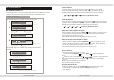
TITLE ELAPSED
T: 01/01 C: 02/25
00:06:08
TITLE ELAPSED
T: 01/01 C: 02/25
00:06:08
TITLE REMAIN
T: 01/01 C: 02/25
1:30:08
TITLE REMAIN
T: 01/01 C: 02/25
1:30:08
2
NOTE
Some DVD discs do not allow programming.
CD,MPEG4 and Picture CD program are only available to activate Edit function.
Single track disc cannot be programmed.
NORMAL SHUFFLE RANDOM MUSIC INTRO
Single
Folder
All
Maneuver cursor button to highlight the "MODE" and press[ENTER] button to
select mode.There are 4 different modes.