
XG-MB67X Operation-Manual GB


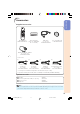


Table Of Contents
- Introduction
- Quick Start
- Setup
- Connections
- Basic Operation
- Useful Features
- Operating with the Remote Control
- Menu Items
- Using the Menu Screen
- Picture Adjustment ("Picture" menu)
- Adjusting the Projected Image ("SCR - ADJ" menu)
- Adjusting the Projector Function ("PRJ - ADJ" menu)
- Auto Search Function
- Auto Sync (Auto Sync Adjustment)
- Auto Power Off Function
- Setting the Confirmation Sound (System Sound)
- Speaker Setting
- Selecting the Transmission Speed (RS-232C)
- Fan Mode Setting
- Checking the Lamp Life Status
- System Lock Function
- Locking the Operation Buttons on the Projector (Keylock Function)
- Setting up the Projector Network Environment ("Network" menu)
- Troubleshooting with the "Help" menu
- Appendix

11
Introduction
Accessories
Remote control
RRMCGA398WJSA
Two R-6 batteries
(“AA” size, UM/SUM-3,
HP-7 or similar)
Power cord*
RGB cable
(10' (3.0 m))
QCNWGA045WJPZ
• Operation manual (this manual (TINS-C517WJZZ) and CD-ROM (UDSKAA078WJZZ))
Optional accessories
■ Dust filter
■ 3 RCA to 15-pin D-sub cable (10n (3.0 m))
■ Remote receiver
■ Lamp unit
AN-DF1
AN-C3CP2
AN-MR2
AN-XR20LP
Supplied accessories
For U.S. and
Canada, etc.
(6' (1.8 m))
QACCDA007WJPZ
For Europe,
except U.K.
(6' (1.8 m))
QACCVA011WJPZ
For U.K. and
Singapore
(6' (1.8 m))
QACCBA036WJPZ
For Australia, New
Zealand and Oceania
(6' (1.8 m))
QACCLA018WJPZ
(1) (2) (3) (4)
* Use the power cord that corresponds to the wall outlet in your country.
• Some of the optional accessories may not be available depending on the region. Please check with
your nearest Sharp Authorized Projector Dealer or Service Center.
Note
Lens cap (attached)
CCAPHA024WJSA
DIN-D-sub RS-232C adaptor
(5
57
/
64
" (15 cm))
QCNWGA015WJPZ
XG-MB67X_EN2_CD_c 06.5.24, 1:51 PM11