
Operation Manual
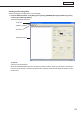


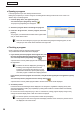


Table Of Contents
- Introduction
- Installing/Launching
- Setting Up a Server
- Launching
- Creating/Editing Programs
- The main Program Editor window
- Creating programs
- ● Valid content files
- ● Positioning content (Layout)
- ● Setting the background/frames 1-4
- ● Setting the scroll message
- ● Setting audio and music
- ● Setting the PIP window
- ● Saving a program
- ● Opening a program
- ● Checking a program
- ● Deleting a program
- ● Displaying program properties
- ● Importing/exporting a program
- Setting Information for logging in to the management PC
- Uploading/Downloading Programs, Content and Scroll Messages
- Deleting Programs, Content and Scroll Messages on the Server
- RSS Editor
- Conditional Content
- Creating/Editing Timetables
- Creating/Editing Schedules
- Logging In
- Panel Management
- Distributing
- Management
- User Management
- Viewer Update
- Schedule Reception/Program Display
- Key/Mouse Monitoring

54
Program Editor
•Donotcheckthecheckboxwhenyoudonotwanttomakethebackgroundcolortransparent.
Evenifthesliderissettoopaqueattherightend,thebackgrounddoesnotbecomecompletely
non-transparent.
•Whenthecheckboxischecked,thecolorsetforthebackgrounditselfismadetransparent.
Therefore,if“TextColor”and“DecorationColor”arethesameas“BackgroundColor,”“TextColor”
and “Decoration Color” are also made transparent.
•Iftransparent/semi-transparentscrollmessagesarelocatedonavideo,thedesiredeffectmaynot
be obtained.
5. Set “Scrolling.”
Set the scroll direction and speed of scroll messages.
1) Select the “Direction” from “Leftward,” “Rightward,”
“Upward”and“NoMove”optionbuttons.
•Ifthe“Vertical”optionbuttonisselectedin
“MessageFormat,”the“Leftward”or“Rightward”
option button cannot be selected.
•If“NoMove”isselected,scrollmessagesaredisplayedatthecenterofthespecifiedrangelineby
line. (The portion that is outside of this range is not displayed.)
2) Dragthe“Speed”slidertotheleftorrighttosetthescrollspeed(10stepsavailable).
•Evenifthescrollmessagespeedissetatthesamevalue,theactualscrollspeedmaydiffer
depending on the performance of the PC.
•Whenthe“UseTransparent”checkboxischecked,thescrollspeedmaybelowercomparedwith
thatofopaquescrollmessages.Itisrecommendedthattestsbeconductedbyactuallydisplaying
scroll messages before operation.
Settings to be made when the “No Move” option button is selected
3) Set“DisplayTimeofEachLine.”(0to9999seconds)
Scroll messages are displayed line by line. Set the display time.
4) Set whether to perform fade-in and fade-out.
Todisplayscrollmessagessothatthecurrentlydisplayedscrollmessagefadesoutandthenextscroll
messagefadesinwhenswitchingbetweenscrollmessages,checkthe“UseFadingin/outWhen
MessageSwitches.”checkbox.
If fade-in/fade-out scroll messages are located on a video, the desired effect may not be obtained.
6. Click [Save Scroll Message] from the [File] menu.
Or click
.
The[SaveAs]dialogboxwillappear.
7. Enter a new name in “File name” and click [Save].
Thecreationofthescrollmessagefileisnowcomplete.
ThescrollmessagefileissavedinC:\ProgramFiles\SHARP\
e-Signage\Telops.