
Operation Manual
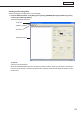


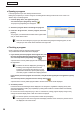


Table Of Contents
- Introduction
- Installing/Launching
- Setting Up a Server
- Launching
- Creating/Editing Programs
- The main Program Editor window
- Creating programs
- ● Valid content files
- ● Positioning content (Layout)
- ● Setting the background/frames 1-4
- ● Setting the scroll message
- ● Setting audio and music
- ● Setting the PIP window
- ● Saving a program
- ● Opening a program
- ● Checking a program
- ● Deleting a program
- ● Displaying program properties
- ● Importing/exporting a program
- Setting Information for logging in to the management PC
- Uploading/Downloading Programs, Content and Scroll Messages
- Deleting Programs, Content and Scroll Messages on the Server
- RSS Editor
- Conditional Content
- Creating/Editing Timetables
- Creating/Editing Schedules
- Logging In
- Panel Management
- Distributing
- Management
- User Management
- Viewer Update
- Schedule Reception/Program Display
- Key/Mouse Monitoring

52
Program Editor
2) Menus
Menu options are as follows:
Menu option Description
File
Create New Scroll
Message
Opensanewscrollmessagefile.
Open Scroll Message Loadsasavedscrollmessagefile.
Save Scroll Message Overwritesthecurrentlyeditedscrollmessagefile.
Save Scroll Message As Savesthecurrentlyeditedscrollmessagefileunderadifferentname.
Exit ExitsScrollMessageEditor.
Edit
Cut Cutsthetextstringselectedinthe“Scrollmessageeditbox”.
Copy Copiesthetextstringselectedinthe“Scrollmessageeditbox”.
Paste
Pastesatextstringthathasbeencutorcopiedintothe“Scroll
messageeditbox”.
Undo Undoesthelastactionperformedinthe“Scrollmessageeditbox”.
View Preview Scroll Message
Displaysapreviewofthecurrentlyeditedscrollmessagefile.
Press [Esc] to close the preview. If a window other than the window
for scroll messages is clicked during the preview, it cannot be
terminated even if the [Esc] key is pressed. Click the preview once
and then click the [Esc] key.
Help
About Scroll Message
Editor
Displays version information for Scroll Message Editor.
3) Toolbar
The toolbar buttons (icons) perform the following actions:
Icon Menu option Description
Open Scroll Message Loadsasavedscrollmessagefile.
Save Scroll Message Overwritesthecurrentlyeditedscrollmessagefile.
Preview Scroll Message
Displaysapreviewofthecurrentlyeditedscrollmessagefile.
Press [Esc] to close the preview. If a window other than the window for
scroll messages is clicked during the preview, it cannot be terminated
even if the [Esc] key is pressed. Click the preview once and then click
the [Esc] key.
About Scroll Message
Editor
Displays version information for Scroll Message Editor.
4) Settings window
Formoredetails,continuereadingfromstep2.
2. Enter a text string that you want to use in a scroll
message into the “Scroll message edit box”.
Thelongerthetextstringis,themorememorywillbeused.
We recommend starting a new line at a suitable interval so
that lines do not get too long.