
Operation Manual


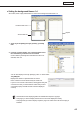


Table Of Contents
- Introduction
- Installing/Launching
- Setting Up a Server
- Launching
- Creating/Editing Programs
- The main Program Editor window
- Creating programs
- ● Valid content files
- ● Positioning content (Layout)
- ● Setting the background/frames 1-4
- ● Setting the scroll message
- ● Setting audio and music
- ● Setting the PIP window
- ● Saving a program
- ● Opening a program
- ● Checking a program
- ● Deleting a program
- ● Displaying program properties
- ● Importing/exporting a program
- Setting Information for logging in to the management PC
- Uploading/Downloading Programs, Content and Scroll Messages
- Deleting Programs, Content and Scroll Messages on the Server
- RSS Editor
- Conditional Content
- Creating/Editing Timetables
- Creating/Editing Schedules
- Logging In
- Panel Management
- Distributing
- Management
- User Management
- Viewer Update
- Schedule Reception/Program Display
- Key/Mouse Monitoring

50
Program Editor
Clickingthebuttonsatthebottomofthe“ContentFile”listperformsthefollowingactions:
Icon Menu option Description
Create New Scroll
Message
Launches Scroll Message Editor and allows you to create new scroll
messages.
Edit Scroll Message
Launches Scroll Message Editor and allows you to edit the scroll
messageselectedinthe“ContentFile”list.
Delete Scroll Message Deletesthescrollmessagesselectedinthe“ContentFile”list.
add blank scroll
message
Ahiddensectioncanbeaddedtotheplaylist.Likeothercontentfiles,
the duration and order of play can be set for hidden sections.
FormoredetailsaboutScrollMessageEditor,refertop.51.
4. Click .
Scrollmessagefilesareaddedtotheendoftheplaylist.
Formoredetailsabouttheplaylist,refertop.47.
Instep3,youcanalsoregisterscrollmessagefiles
by double-clicking them, or dragging them from the
“ContentFile”listtothe“Playlist”.
5. Repeat steps 1 to 4 as necessary. You can set other scroll messages in the same manner.