
Operation Manual


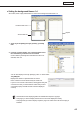


Table Of Contents
- Introduction
- Installing/Launching
- Setting Up a Server
- Launching
- Creating/Editing Programs
- The main Program Editor window
- Creating programs
- ● Valid content files
- ● Positioning content (Layout)
- ● Setting the background/frames 1-4
- ● Setting the scroll message
- ● Setting audio and music
- ● Setting the PIP window
- ● Saving a program
- ● Opening a program
- ● Checking a program
- ● Deleting a program
- ● Displaying program properties
- ● Importing/exporting a program
- Setting Information for logging in to the management PC
- Uploading/Downloading Programs, Content and Scroll Messages
- Deleting Programs, Content and Scroll Messages on the Server
- RSS Editor
- Conditional Content
- Creating/Editing Timetables
- Creating/Editing Schedules
- Logging In
- Panel Management
- Distributing
- Management
- User Management
- Viewer Update
- Schedule Reception/Program Display
- Key/Mouse Monitoring

46
Program Editor
[Viewer Path] tab
Displaysthecontentfilespecifiedwith“FilePathOnViewerPC.”You
canspecifyanEXEfile.Enterapaththatcanbereferencedbythe
viewerPC.ForanEXEfile,“Parameters”canbeadded.
•Whendisplayinglargecontentfilesthatarenotfrequentlyupdated,savethefilesontheviewer
PC in advance, and only enter the paths that refer to them. This will help reduce the time it takes to
send program contents.
•SpecifytheabsolutepathoftheviewerPCortherelativepathfromMyContentsfolder(
F
p.152).
•Thefollowingparameterscanbeused:
%L : X coordinate of top left corner of frame
%T : Y coordinate of top left corner of frame
%W : Width of frame
%H : Height of frame
•Thissoftwareonlylaunchesorclosesspecifiedexecutablefilesataspecifiedtime.Itdoesnot
guaranteetheactionsofanyexecutablefilesitlaunches.
•Dependingonthespecificationsofthefilethatisexecuted,itmaynotbeabletolaunchorclose
correctly, or it may not be able to display windows in the correct position.
3. Select the content you want to use from the “Content
File” list.
Refertop.41foralistoffiletypesthatcanbeusedwiththe
background and frames 1-4.
•Clickwhileholdingdown[Ctrl]or[Shift]toselect
multiplecontentfilesatthesametime.
•Youcanpreviewcontentfilesinthe[Content
Preview] window. (
F
p.47)
•IfusingHTMLcontent,makesurethatimages,
moviesandotherfilesreferredtointheHTML
code are transferred to the same location, or a subdirectory of the same location, where the HTML
fileitselfisstored(attachedfiles).Thesecanbeaddedfromcontentfileproperties.(
F
p.48)
MakesurethatallattachedfilesaredefinedbytheirrelativepathsintheHTMLfile.
4. Click .
Contentfilesareaddedtotheendoftheplaylist.
Formoredetailsabouttheplaylistrefertop.47.
•Instep3,youcanalsoregistercontentfilesby
double-clicking them, or dragging them from the
“ContentFile”listtothe“Playlist”.
•Thecontentfilesintheplaylistcanbecopiedbydragginganddroppingthemwhileholdingdown
the [Ctrl] key.
5. Repeat steps 1 to 4 as necessary. You can set the other frames in the same manner.
•Byclickingthe( )button“addblankcontent”atthebottomofthe“ContentFile”listonthe
[Frame1]-[Frame4]tabs,youcanaddahiddensectiontotheplaylist.Likeothercontentfiles,the
duration and order of play can be set for hidden sections. The frame set in the hidden section is
not displayed.
•Clickingthebuttonsatthebottomofthe“ContentFile”list(
) or ( ) allows you to create a
neworeditanexistingRSSconfigurationfile.(refertop.66)