
Operation Manual




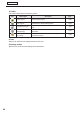
Table Of Contents
- Introduction
- Installing/Launching
- Setting Up a Server
- Launching
- Creating/Editing Programs
- The main Program Editor window
- Creating programs
- ● Valid content files
- ● Positioning content (Layout)
- ● Setting the background/frames 1-4
- ● Setting the scroll message
- ● Setting audio and music
- ● Setting the PIP window
- ● Saving a program
- ● Opening a program
- ● Checking a program
- ● Deleting a program
- ● Displaying program properties
- ● Importing/exporting a program
- Setting Information for logging in to the management PC
- Uploading/Downloading Programs, Content and Scroll Messages
- Deleting Programs, Content and Scroll Messages on the Server
- RSS Editor
- Conditional Content
- Creating/Editing Timetables
- Creating/Editing Schedules
- Logging In
- Panel Management
- Distributing
- Management
- User Management
- Viewer Update
- Schedule Reception/Program Display
- Key/Mouse Monitoring

40
Program Editor
3) Toolbar
The toolbar buttons perform the following actions:
Icon Menu option Description
Relevant
page
Open Program Loads a saved program.
F
p.58
Save Program Overwrites the currently edited program.
F
p.56
Properties of Program
Displays program properties and allows the user to change
them
F
p.60
Preview Program
[(Originalsize)]
Displays a preview of the currently edited program at its
originalsize.
F
p.58
Preview Program
[(Fitscreen)]
Displaysapreviewofthecurrentlyeditedprogramfittedto
thesizeofthescreen.
F
p.58
4) Tabs
Clicking a tab switches to the settings window for each item.
5) Settings window
Allows the user to set advanced settings for the selected tab.