
Operation Manual


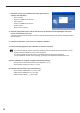


Table Of Contents
- Introduction
- Installing/Launching
- Setting Up a Server
- Launching
- Creating/Editing Programs
- The main Program Editor window
- Creating programs
- ● Valid content files
- ● Positioning content (Layout)
- ● Setting the background/frames 1-4
- ● Setting the scroll message
- ● Setting audio and music
- ● Setting the PIP window
- ● Saving a program
- ● Opening a program
- ● Checking a program
- ● Deleting a program
- ● Displaying program properties
- ● Importing/exporting a program
- Setting Information for logging in to the management PC
- Uploading/Downloading Programs, Content and Scroll Messages
- Deleting Programs, Content and Scroll Messages on the Server
- RSS Editor
- Conditional Content
- Creating/Editing Timetables
- Creating/Editing Schedules
- Logging In
- Panel Management
- Distributing
- Management
- User Management
- Viewer Update
- Schedule Reception/Program Display
- Key/Mouse Monitoring

18
Welcome Center settings (Windows Vista only)
ThesesettingsdonotapplytoWindowsXP/7.
Underdefaultsettings,the“WelcomeCenter”isdisplayedwhen
Windows Vista is started.
Clearthe“Runatstartup”checkbox,tostopthe“Welcome
Center” from being displayed when a program is displayed in
Program Viewer. The “Welcome Center” will not appear from the
nexttimethePCisstarted.
If “Welcome Center” is closed you can display it using
either of the following methods.
•FromtheWindowsTaskbar,click[Start],[ControlPanel],
[System and Maintenance], and then [Welcome Center].
•FromtheWindowsTaskbar,click[Start],[AllPrograms],[Accessories],andthen[WelcomeCenter].
Screen saver settings
Disable the screen saver so that it does not display on the monitor when a program is displayed in Program
Viewer.
• If using Windows XP
1. Right-click on an empty area of the desktop, and from the menu that appears, click [Properties].
The[DisplayProperties]dialogboxwillappear.
2. Click the [Screen Saver] tab and select “(None)” from the
“Screen saver” list.
3. Click [OK].