
Operation Manual

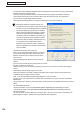
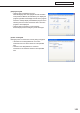

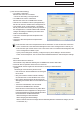


Table Of Contents
- Introduction
- Installing/Launching
- Setting Up a Server
- Launching
- Creating/Editing Programs
- The main Program Editor window
- Creating programs
- ● Valid content files
- ● Positioning content (Layout)
- ● Setting the background/frames 1-4
- ● Setting the scroll message
- ● Setting audio and music
- ● Setting the PIP window
- ● Saving a program
- ● Opening a program
- ● Checking a program
- ● Deleting a program
- ● Displaying program properties
- ● Importing/exporting a program
- Setting Information for logging in to the management PC
- Uploading/Downloading Programs, Content and Scroll Messages
- Deleting Programs, Content and Scroll Messages on the Server
- RSS Editor
- Conditional Content
- Creating/Editing Timetables
- Creating/Editing Schedules
- Logging In
- Panel Management
- Distributing
- Management
- User Management
- Viewer Update
- Schedule Reception/Program Display
- Key/Mouse Monitoring

152
FTP Server/Client Scheduler
• Theareasetunderthe[DisplayArea]tabwillbethedisplayarea(exceptwhenaprogramisspecified).
• “Smoothcontentschange”checkbox
Checkthischeckboxtoswitchbetweencontentssmoothlybypreparingtheplaybackofthenext
contentbeforetheendofthecurrentcontent.Alsocheckthischeckboxwhenitisnecessaryto
synchronizethecontentdisplaybetweenframes.
Clicking [Preload Setting] allows you to set the content that is to be read in advance.
•Makingtheswitchingofcontentssmoothwill
increasetheloadontheCPUandthememoryuse
amount. It is recommended that tests be conducted
by actually displaying programs before operation.
•Whenperformingadvancedreadingofacontent
that can be played with Windows Media Player,
the video accelerator is disabled. Check that your
PC has enough performance to display contents
without the video accelerator. (Windows XP only)
•IfacontentthatcanbeplayedwithInternet
Explorerisreadinadvance,Flashcontentsand
banners embedded in the content may be started
from the middle.
• “Setlimitofprintscreenarea”checkbox
When you are outputting multiple screens on a viewer
PC, the Screen Capture function captures the entire
desktop.Checkthisboxtocapturejustapartofthe
screen output.
Click[AreaSetting]anddefinetheareayouwantto
capture.
• “Don’tmovefocuswhileprogramviewerstarts”checkbox
Thisboxisusuallyleftunchecked.
CheckthisboxifyoudonotwanttheProgramViewerfocustomovewhenyoulaunchtheProgram
Viewer.
• “Hidetaskbarwhileshowingprogram”checkbox
Whenthischeckboxischecked,thetaskbarishiddenwhenProgramViewerislaunchedanditis
re-displayed when Program Viewer is closed.
• “Play*.movfileswithWindowsMediaPlayer(Windows7only)”checkbox
ThisboxcanonlybecheckedwhenusingWindows7.Checkthisboxtoplay.movfilesonWindows
Media Player.
• “MyContentsfolder”:Enterthepathofthefolderinwhichcontentstobedistributedinadvancearetobe
saved.
The initial default values are:
•MyContentsfolder:C:\ProgramFiles\SHARP\SHARPDigitalSignageSoftware\MyContents\
(ForWindowsVista/7,C:\ProgramData\SHARP\SHARPDigitalSignageSoftware\MyContents\)
• “SetPanelAttribute”
You can set Viewer PC panel attributes and “Panel name,” “Group” and “Comment”. This setting is for
playing different content in each panel during conditional content playback.