
Operation Manual

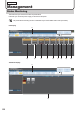

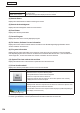
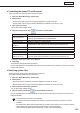
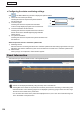


Table Of Contents
- Introduction
- Installing/Launching
- Setting Up a Server
- Launching
- Creating/Editing Programs
- The main Program Editor window
- Creating programs
- ● Valid content files
- ● Positioning content (Layout)
- ● Setting the background/frames 1-4
- ● Setting the scroll message
- ● Setting audio and music
- ● Setting the PIP window
- ● Saving a program
- ● Opening a program
- ● Checking a program
- ● Deleting a program
- ● Displaying program properties
- ● Importing/exporting a program
- Setting Information for logging in to the management PC
- Uploading/Downloading Programs, Content and Scroll Messages
- Deleting Programs, Content and Scroll Messages on the Server
- RSS Editor
- Conditional Content
- Creating/Editing Timetables
- Creating/Editing Schedules
- Logging In
- Panel Management
- Distributing
- Management
- User Management
- Viewer Update
- Schedule Reception/Program Display
- Key/Mouse Monitoring

135
Management
● Controlling the viewer PC and the panel
This function lets you control the viewer PC and the panel.
Click the “Status Monitoring” function tab.1.
Select panels.2.
Usethegrouptreetoshowonlythepanelsregisteredinagrouponthelist.•
Specifyafiltertoshowonlythepanelsthatsatisfytheconditionsonthelist.(•
+p.104)
Click a panel to control.3.
You can also select multiple panels.
Align the mouse pointer with 4.
and select a control option.
Menu option Description
Turn On Viewer PC
Turns on the viewer PC of selected panels.
ThisoptionisnotavailableinPULLtypedistribution.
Turn Off Viewer PC Turns off the viewer PC of selected panels.
Restart Viewer PC Restarts the viewer PC of selected panels.
Adjusttheclockof
Viewer PC
SynchronizestheclockoftheviewerPCwiththatofthemanagementPC.
Turn On LCD Monitor Turns on the selected panels.
Turn Off LCD Monitor Turns off the selected panels.
Pause Program Pauses program display.
Restart Program Resumes displaying of a paused program.
Select video input source
(INPUT1to15,TV)
Switches the video input source of the selected panels.
InthecaseofPNseriesandLB-1085,theinputcannotbeswitchedto“TV”.
Amessageconfirmingtheoptionwillbedisplayed.
Click [OK].5.
The selected control option will be processed.
InPULLtypedistribution,theselectedcontrolwillbeperformedatthetimeofthefirstaccessfromtheviewer
PC after this operation.
● Retrieving system les
ThisfunctionisforretrievingthesystemfilesoftheviewerPC.
(Thesystemfilesareusedbytheservicepersons.)
Click the “Status Monitoring” function tab.1.
Select panels.2.
Usethegrouptreetoshowonlythepanelsregisteredinagrouponthelist.•
Specifyafiltertoshowonlythepanelsthatsatisfytheconditionsonthelist.(•
+p.104)
Select a panel to retrieve the system le.3.
You can also select multiple panels.
Align the mouse pointer with 4.
and select the le to retrieve.
InPULLtypedistribution,theselectedfilewillberetrievedatthetimeofthefirstaccessfromtheviewerPC
after this operation.
•Onlythelatestsystemfilescanberetrieved.
•ToretrievetheDirectXinformation,theviewerPCmusthavetheDirectXversion9.0ornewer
installed.
•FileretrievalmaytakesometimedependingonthestatusoftheviewerPCoronthefiletoretrieve
•Whilesystemfilesarebeingretrieved,thepanelstatuscannotberetrieved
If the automatic update for panel monitoring is running, suspend it beforehand.