
Operation Manual


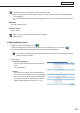


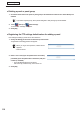
Table Of Contents
- Introduction
- Installing/Launching
- Setting Up a Server
- Launching
- Creating/Editing Programs
- The main Program Editor window
- Creating programs
- ● Valid content files
- ● Positioning content (Layout)
- ● Setting the background/frames 1-4
- ● Setting the scroll message
- ● Setting audio and music
- ● Setting the PIP window
- ● Saving a program
- ● Opening a program
- ● Checking a program
- ● Deleting a program
- ● Displaying program properties
- ● Importing/exporting a program
- Setting Information for logging in to the management PC
- Uploading/Downloading Programs, Content and Scroll Messages
- Deleting Programs, Content and Scroll Messages on the Server
- RSS Editor
- Conditional Content
- Creating/Editing Timetables
- Creating/Editing Schedules
- Logging In
- Panel Management
- Distributing
- Management
- User Management
- Viewer Update
- Schedule Reception/Program Display
- Key/Mouse Monitoring

109
Panel Management
● Registering a panel (viewer PC) for data request
Youcanregister(approve)apanelbasedontheconfigurationinformationsentfromtheviewerPCforthe
PUSHtypedistribution(dynamicIPaddress)andPULLtypedistributionpanels.
ConfigurationinformationcanbesentfromtheviewerPCusingthe[Network]tabinthesettingdialogboxofthe
Client Scheduler. (
+
p.154)
1. Check the check box for a panel to be registered from the panel list displayed in “Panels waiting for
registration” in the Panel Management window, and click
.
2. Set the options.
The [Add New Panel (Viewer PC)] window will appear.
The settings are the same as those for “Adding/editing a panel” (
+
p.107).
Ifyouwanttoregisterallthepanelsatonce,checkthecheckboxesforthepanelstoberegistered
and click
Ifyouwanttoregisterallthepanelsatonce,checkthecheckboxesforthepanelstoberegistered
,andthenselectapanelgroupfromthelistboxandclick[OK].
● Adding/editing a panel group
1. Click in Panel Management.
A panel group list will appear.
•Whenyouloginasasupervisor,“SelectTenant”appears.
•Selectatenant.
2. To add a panel group, click
.
Toeditapanelgroup,checkthecheckboxforthepanelgrouptobeedited,andclick
.
The[AddNewPanelGroup]dialogboxwillappear.
You can also create a panel group under a panel group.
3. Select a parent group.
4. Enter a “Group Name”.
5. Click [OK].