
Operation Manual




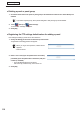
Table Of Contents
- Introduction
- Installing/Launching
- Setting Up a Server
- Launching
- Creating/Editing Programs
- The main Program Editor window
- Creating programs
- ● Valid content files
- ● Positioning content (Layout)
- ● Setting the background/frames 1-4
- ● Setting the scroll message
- ● Setting audio and music
- ● Setting the PIP window
- ● Saving a program
- ● Opening a program
- ● Checking a program
- ● Deleting a program
- ● Displaying program properties
- ● Importing/exporting a program
- Setting Information for logging in to the management PC
- Uploading/Downloading Programs, Content and Scroll Messages
- Deleting Programs, Content and Scroll Messages on the Server
- RSS Editor
- Conditional Content
- Creating/Editing Timetables
- Creating/Editing Schedules
- Logging In
- Panel Management
- Distributing
- Management
- User Management
- Viewer Update
- Schedule Reception/Program Display
- Key/Mouse Monitoring

105
Logging in
●
Conguring the settings in Show / Hide Menu Tabs and changing the password
Set whether items in the tab menu are displayed or hidden, and change the password.
1.
Click the “System Conguration” tab.
2.
Click [Preference].
The Pro Manager Option setting window will appear.
Show / Hide Menu Tabs
Displays or hides the menu functions. Checked functions are displayed on the tabs of the screen.
Menu option Explanation
Schedule Distribution
Thisbuttonletsyouassignascheduletoapanelandexecute
distribution.
Distribution Status This button lets you check the schedule distribution status.
Panel Status
This button lets you retrieve the schedule that has been distributed
to a panel.
Status Monitoring
This button lets you check the status of the panel and send a
command to the panel.
Panel Info This button lets you view the panel list window.
Break-in Program
This button lets you assign a break-in program to a panel and
executedistribution.
Emergency Scroll Message
This button lets you assign an emergency scroll message to a
panelandexecutedistribution.
ViewerUpdate This button lets you change the settings of the viewer PC.
System Log
This button lets you browse the operation history information of the
system log.
Changing the password
Change the password of a logged-in user. Enter the old password and then the new password.