
Operation Manual




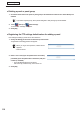
Table Of Contents
- Introduction
- Installing/Launching
- Setting Up a Server
- Launching
- Creating/Editing Programs
- The main Program Editor window
- Creating programs
- ● Valid content files
- ● Positioning content (Layout)
- ● Setting the background/frames 1-4
- ● Setting the scroll message
- ● Setting audio and music
- ● Setting the PIP window
- ● Saving a program
- ● Opening a program
- ● Checking a program
- ● Deleting a program
- ● Displaying program properties
- ● Importing/exporting a program
- Setting Information for logging in to the management PC
- Uploading/Downloading Programs, Content and Scroll Messages
- Deleting Programs, Content and Scroll Messages on the Server
- RSS Editor
- Conditional Content
- Creating/Editing Timetables
- Creating/Editing Schedules
- Logging In
- Panel Management
- Distributing
- Management
- User Management
- Viewer Update
- Schedule Reception/Program Display
- Key/Mouse Monitoring

102
Logging In
Logging in to the Web Server (logging in as a supervisor)
1. Launch Internet Explorer and enter the URL for the server.
“InternetExplorer”willlaunch.
URLfortheserver:http://(IPaddressoftheserver:portnumber)/supervisor/
Forexample,iftheIPaddressoftheserveris192.168.1.1andtheportnumberis32000,theURLisas
follows.
http://192.168.1.1:32000/supervisor/(allalphanumericcharacters)
*Iftheportnumberis80bydefault,youcanaccesstheserverwith
http://(IP address of the server)/supervisor/.
2. Enter the user ID and password.
The Distribution Schedule window will appear.
•Userswhocanloginaresupervisorswhowereregisteredusingthesetupwizardwhentheprogram
waslaunchedforthefirsttime(
F
p.29), supervisors registered using the Pro Web Server Management
Tool (
F
p.34),andsupervisorsaddedbyasupervisorusingtheuserregistrationwindow(
F
p.137).