
Operation Manual




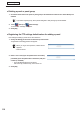
Table Of Contents
- Introduction
- Installing/Launching
- Setting Up a Server
- Launching
- Creating/Editing Programs
- The main Program Editor window
- Creating programs
- ● Valid content files
- ● Positioning content (Layout)
- ● Setting the background/frames 1-4
- ● Setting the scroll message
- ● Setting audio and music
- ● Setting the PIP window
- ● Saving a program
- ● Opening a program
- ● Checking a program
- ● Deleting a program
- ● Displaying program properties
- ● Importing/exporting a program
- Setting Information for logging in to the management PC
- Uploading/Downloading Programs, Content and Scroll Messages
- Deleting Programs, Content and Scroll Messages on the Server
- RSS Editor
- Conditional Content
- Creating/Editing Timetables
- Creating/Editing Schedules
- Logging In
- Panel Management
- Distributing
- Management
- User Management
- Viewer Update
- Schedule Reception/Program Display
- Key/Mouse Monitoring

101
Logging In
Logging In
Logging In to WEB Server
1. Click on the Launcher window.
“InternetExplorer”willlaunch.
•Configuretheserversettingsonthe“ProWebServer”tab(page112)oftheLauncherwindowoption
settings.
•YoucanalsologinbystartingInternetExplorerandenteringtheURLoftheserver.
URLfortheserver:http://(IPaddressoftheserver:portnumber)/login/
Forexample,iftheIPaddressoftheserveris192.168.1.1andtheportnumberis32000,theURLisas
follows.
http://192.168.1.1:32000/login/(allalphanumericcharacters)
*Iftheportnumberis80bydefault,youcanaccesstheserverwith
http://(IP address of the server)/login/.
2. Enter the Tenant Name, User ID and Password.
The Distribution Schedule window will appear.
•Theuserswhocanloginareuserswhowereinitiallycreatedwhenthetenantwascreated(
F
p.28),
administrator users (+p.31)anduserswhowereregisteredthroughtheuserregistrationprocess
(+p.139).
•IfmultipleusersloginfrommultipleplaceswiththesameuserID,thesecondloginisgivenpriorityand
thesessionoftheuserwhologgedinfirstwillbedisconnected(loggedout).AuserIDshouldnotbe
shared by multiple users but one user ID should be assigned to one user.
•ForInternetExplorerinstalledonWindowsServer2008andWindowsServer2008R2,functionssuch
as page redirection are restricted to increase security.
•IfProWEBServerdoesnotwork,addtheURLforProWEBServer(http://(IPaddressoftheserver:port
number)/) to “Trusted Sites” that can be accessed by clicking “Internet Options” and then “Security” in
InternetExplorer.