
Operation Manual

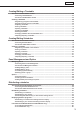




Table Of Contents
- Introduction
- Installing/Launching
- Program Creation/Editing
- The main Program Editor window
- Creating programs
- ●Valid content files
- ●Positioning content (Layout)
- ●Setting the background/frames 1-4
- ●Setting the scroll message
- ●Setting audio and music
- ●Setting the PIP window
- ●Saving a program
- ●Opening a program
- ●Checking a program
- ●Preview Program Display Settings
- ●Deleting a program
- ●Displaying program properties
- ●Importing/exporting a program
- RSS Editor
- Conditional Content
- Creating/Editing a Timetable
- Creating/Editing Schedules
- Panel Management and Option
- Distributing schedules
- Schedule Management
- Schedule Reception/Program Display
- Key/Mouse Monitoring
- Monitoring status

8
•Scrollmessagecontent
DisplayingscrollmessagesrequiresagreatdealofCPUprocessingpower.Whenusingscrollmessages,
programs should be tested by actually displaying them before operation.
· Making the background color transparent will increase the load.
·ScrollmessageswithalargerdisplayareaplacealargerloadonthePC.Donotmakethescrollmessage
display area unnecessarily large.
· If there are a lot of characters in a scroll message line, display may become distorted. If this occurs, start a
newline.(Upto100charactersperlinerecommended.)
•PowerPoint
Set PowerPoint data so that it plays repetitively by setting slide transition to advance slides automatically
(automatic slideshow).
PowerPointViewerisnotcapableofsimultaneousmultipledisplay.DonotassignPowerPointfilestomultiple
frames in the same program. It should also be noted that PowerPoint Viewer only proceeds to play slideshows
when the focus is on itself. Do not click other frames with the mouse or another tool when PowerPoint content
is displayed.
PowerPointViewer2003/2007/2010isrequired.EvenifyoualreadyhaveMicrosoftPowerPoint
2003/2007/2010installedonyourPC,youmustmakeaseparateinstallationofPowerPointViewer
2003/2007/2010.
PowerPointViewer2010requirestimetostartplayingfiles,especiallywhenstartingthefirstplaybackafter
startingupthePC.Makesuretogiveenoughtimeforplaybacktostart.
Althoughitispossibletoplayfileswitha.pptxor.ppsxextensionusingPowerPointViewer2007,itwilltakea
while to start playback.
Itisrecommendedthatfileswitha.pptor.ppsextensionareusedwhenplayingonPowerPointViewer2007.
Continuous operation of viewer PC
Thissoftwareisnotdesignedforcontinuous24-hour-a-dayoperation.BesuretorebootontheviewerPC
everyday.(RefertoPowerControlonp.86)
PC internal clock
ThissoftwareexecutesschedulesbasedonthePC’sinternalclock.YoushouldensurethatyourPC’s
internalclockisalwaysaccuratebysynchronizingitwithaninternettimeserverorothermeans.
Accuracy of program display time
Programdisplayiscontrolledbyatimerthatstartsat0secondseveryminute.Programscannotbeswitchedat
intervalsoflessthan1minute,orduringa1minuteinterval(i.e.inintervalsoflessthan60seconds).
Be aware that there may be some delay before content is actually displayed depending on the time taken to
launchapplicationsthatdisplaycontentandthetimetakentoloadcontentfiles.
Backups
Thissoftwaredoesnothaveabackupfunction.Youshouldmakeregularbackupcopiesofcontentfiles,
etc., during operation.
Daisy chain conguration
The Network Version of SHARP Digital Signage Software can send different panel control commands (monitor
powersupplyON/OFFandpanelinputcommands)toSHARPLCDMonitors(PNSeries)connectedinadaisy
chain.(RefertoPanelManagementandOption,p.84)
System operation precautions