
Operation Manual
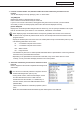

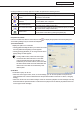


Table Of Contents
- Introduction
- Installing/Launching
- Program Creation/Editing
- The main Program Editor window
- Creating programs
- ●Valid content files
- ●Positioning content (Layout)
- ●Setting the background/frames 1-4
- ●Setting the scroll message
- ●Setting audio and music
- ●Setting the PIP window
- ●Saving a program
- ●Opening a program
- ●Checking a program
- ●Preview Program Display Settings
- ●Deleting a program
- ●Displaying program properties
- ●Importing/exporting a program
- RSS Editor
- Conditional Content
- Creating/Editing a Timetable
- Creating/Editing Schedules
- Panel Management and Option
- Distributing schedules
- Schedule Management
- Schedule Reception/Program Display
- Key/Mouse Monitoring
- Monitoring status

69
Timetable Editor
●Registering panel control in a timetable
1. Click the [Panel Control] tab.
A list of panel control commands will be displayed.
Therearetwocategories:“CommandName”and“InputSource”.Commandsareasfollows:
Command Description
Turn On Display Turns the panel (monitor) power ON.
Turn Off Display Puts the panel (monitor) into standby mode.
Switch Input Source
(Input“No.”)
Switches the panel (monitor) input source.
TV *
1
Switchtheinputsourceofthepanel(monitor)to“TVinput”.Thechannelatthe
timeofswitchingtotheTVcannotbespecified.Thechannelthatwasselectedby
the TV immediately before switching is displayed.
*1 ItcannotbeusedwiththeSHARPLCDmonitor(PNseries)andtheLB-1085.
•Thecommandssupportedbythepanel(monitor)
canbecheckedwith“Tableofsupportingpanel
controls.”
•Todisplay“Tableofsupportingpanelcontrols,”
click the button (
)“AboutPanelSupport”atthe
lower left of the panel control command list. Or, click
[AboutPanelSupport]from[HelpMenu].
Thecontentsof“Tableofsupportingpanelcontrols”areasfollows:
Menu option Description
RC-232C
Indicates the cable to be used for the connection (straight cable or cross cable).
Indicates transmission speeds supported.
LAN IndicateswhetherLANconnectionissupported.
Turn On
Indicateswhetherthe“TurnOnDisplay”panelcontrolcommandissupported.
Turn Off
Indicateswhetherthe“TurnOffDisplay”panelcontrolcommandissupported.
GetStatus
IndicateswhetherGetStatus(
F
p.120)issupported.
H/WErrorDetection Indicates whether hardware error detection is supported.
TimeSynchronization
IndicateswhetherTimeSynchronization(
F
p.109,110)issupported.
Input“No.” Indicates which input of the panel (monitor) is supported.
TV Indicates whether TV input is supported.
Creating a timetable