
Operation Manual


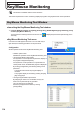


Table Of Contents
- Introduction
- Installing/Launching
- Program Creation/Editing
- The main Program Editor window
- Creating programs
- ●Valid content files
- ●Positioning content (Layout)
- ●Setting the background/frames 1-4
- ●Setting the scroll message
- ●Setting audio and music
- ●Setting the PIP window
- ●Saving a program
- ●Opening a program
- ●Checking a program
- ●Preview Program Display Settings
- ●Deleting a program
- ●Displaying program properties
- ●Importing/exporting a program
- RSS Editor
- Conditional Content
- Creating/Editing a Timetable
- Creating/Editing Schedules
- Panel Management and Option
- Distributing schedules
- Schedule Management
- Schedule Reception/Program Display
- Key/Mouse Monitoring
- Monitoring status

116
Key/Mouse Monitoring Tool
•“Playprogramagain,ifnoinputhascomeforacertaintime”checkbox
Whenthischeckboxischecked,thenormalprogramisresumedifthekeyormouseisnotoperatedfora
certain period of time.
1) Click [Detail].
The“ConfigurationforRestartProgram”dialogboxwillappear.
2) Set the options.
•“Timetorestartprogramafterlastkeyevent”
Set the period of time before program display is resumed.
•“Restartprogramfrombeginningevenifplaying.”checkbox
Checkthisboxtoplayfromthebeginningoftheprogram
when no time is designated or when there is no key or mouse
input. The program will be played from the beginning even
when the program is played according to schedule.
•“Executeanapplicationwhentheprogramrestart.”checkbox
Ifyoucheckthischeckbox,enterthepathoftheapplication
tobeexecutedin“Path.”Itisalsopossibletoenter“Option.”
3) Click [OK].
About
DisplaystheversionoftheKey/MouseMonitoringTool.
Exit
ExitstheKey/MouseMonitoringTool.
Key/Mouse Monitoring Tool Window