
Operation Manual
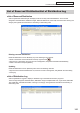


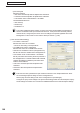

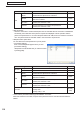
Table Of Contents
- Introduction
- Installing/Launching
- Program Creation/Editing
- The main Program Editor window
- Creating programs
- ●Valid content files
- ●Positioning content (Layout)
- ●Setting the background/frames 1-4
- ●Setting the scroll message
- ●Setting audio and music
- ●Setting the PIP window
- ●Saving a program
- ●Opening a program
- ●Checking a program
- ●Preview Program Display Settings
- ●Deleting a program
- ●Displaying program properties
- ●Importing/exporting a program
- RSS Editor
- Conditional Content
- Creating/Editing a Timetable
- Creating/Editing Schedules
- Panel Management and Option
- Distributing schedules
- Schedule Management
- Schedule Reception/Program Display
- Key/Mouse Monitoring
- Monitoring status

102
Schedule Distribution Tool
List of Reserved Distribution/List of Distribution Log
Deleting the entire distribution log
The entire contents of the distribution log can be deleted by either of the following two methods:
•Right-clickintheDistributionLog,andfromthemenuthatappears,click[DeleteAllDistributionLog].
•Press[Delete].
Aconfirmationdialogboxwillappear.Click[OK].
Updating
The distribution log can be updated by either of the two following methods:
•Right-clickintheDistributionLog,andfromthemenuthatappears,click[RefreshtheInformation].
•Press[F5].
Outputting CSV File of Distribution Log
ThedistributionlogcanbeoutputasaCSVfile.
1. Right-click in the Distribution Log, and from the menu that appears, click [Output CSV File of
Distribution Log].
The[SelecttheCSVfileyouwanttowritedown]dialogboxwillappear.
2. Enter a “File Name”, and click [Save].