
Operation Manual
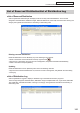


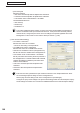

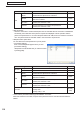
Table Of Contents
- Introduction
- Installing/Launching
- Program Creation/Editing
- The main Program Editor window
- Creating programs
- ●Valid content files
- ●Positioning content (Layout)
- ●Setting the background/frames 1-4
- ●Setting the scroll message
- ●Setting audio and music
- ●Setting the PIP window
- ●Saving a program
- ●Opening a program
- ●Checking a program
- ●Preview Program Display Settings
- ●Deleting a program
- ●Displaying program properties
- ●Importing/exporting a program
- RSS Editor
- Conditional Content
- Creating/Editing a Timetable
- Creating/Editing Schedules
- Panel Management and Option
- Distributing schedules
- Schedule Management
- Schedule Reception/Program Display
- Key/Mouse Monitoring
- Monitoring status

101
Schedule Distribution Tool
List of Reserved Distribution/List of Distribution Log
●List of Reserved Distribution
Clickthe[ReservedDistribution]tabtodisplaythelistofcurrentlyreserveddistributions.Therearefive
categories:ScheduleName,DistributionTarget,ReservedDateTime,PowerON,andPowerOFF.Clickingona
categorywillorganizethereservationsinascendingordescendingorder.
Deleting reserved distributions
Reserved distributions can be deleted by any of the following three methods:
•Selectareservationandclickthebuttonatthetoprightofthelist(
).
•Right-clickonareservation,andfromthemenuthatappears,click[DeletetheReservedDistribution].
•Selectareservationandpress[Delete].
Updating
Reserved distributions can be updated by either of the two following methods:
•Right-clickintheReservedDistributionList,andfromthemenuthatappears,click[RefreshtheInformation].
•Press[F5].
●List of Distribution Log
Clickthe[DistributionLog]tabtodisplayadistributionlogofschedulesandbreak-inprograms.
Thereareeightcategories:ScheduleName,DistributionTarget,CompleteDateTime,Type,Result,StartDate
Time,DataSize,andDetailInformation.Clickingonacategorywillorganizethereservationsinascendingor
descending order.
List of Reserved Distribution/List of Distribution Log