
Operation Manual

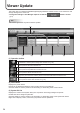


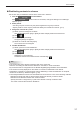
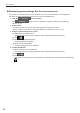
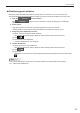
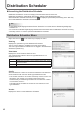
Table Of Contents

38
Viewer Update
Distributingsystemsettingsles(forservicepersons)
This function is to be used only by service persons. This is not to be used during normal operations.
This allows changing the settings of viewer PCs from the management PC.
Click the 1.
function button.
If the
function button is not shown, change the settings in Pro Manager
Options. (p.11)
Select panels.2.
Use the group tree to show only the panels registered in a group on the list.•
Specifyaltertoshowonlythepanelsthatsatisfytheconditionsonthelist.(p.10)•
Assignasystemsettingletoapanel.3.
(1)Selectapaneltoassignaleto.
Click while holding down [Ctrl] or [Shift] to select multiple panels at the same time.
(2) Click
.
(3)Click[AssignSystemsettingles].
The [Open] dialog box appears.
(4)Selectaleandclick[Open].
Thesystemsettingleisnowassigned.
Conrmdistribution4.
(1)Selectapaneltoconrmdistribution.
Click while holding down [Ctrl] or [Shift] to select multiple panels at the same time.
(2) Click
.
(3) Click [Yes].
Distributionisnowconrmed.Conrmedsystemsettinglesaremarkedwiththeconrmedsign
(
).