
Operation Manual

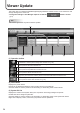


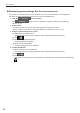
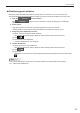
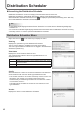
Table Of Contents

33
Management
TIPS
Theretrievedsystemlesaresavedforupto10retrievals.After10retrievals,theolderoneswillbe•
deleted when Pro Manager starts up.
To retrieve the Direct X information, the viewer PC must have the Direct X version 9.0 or newer installed.•
FileretrievalmaytakesometimedependingonthestatusoftheviewerPCorontheletoretrieve.•
Whilesystemlesarebeingretrieved,thepanelstatuscannotberetrieved •
If the automatic update for panel monitoring is running, suspend it beforehand.
Panel Information
This button lets you view the details of each of the registered panels.
The information of the panel registered from the [Add/Edit Panel] in the Launch bar is displayed. (p.8)
TIPS
Panels can be displayed selectively using the Group tree or the Filter bar.•
Click each header to sort the panels in the ascending or descending order of the content.•