
Operation Manual
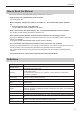

Table Of Contents

3
Introduction
How to Read this Manual
This manual describes SHARP Digital Signage Software Pro Version 4.1.
Keyboard keys are indicated with square brackets.•
E.g. [Shift], [Ctrl], etc.
Menus, windows, dialog boxes, buttons, and tabs, etc., are indicated with square brackets.•
E.g.
From the [Tools] menu, click [Options].1.
The [Pro Manager Options] dialog box will appear.
Items, check boxes, and option buttons, etc., are indicated with double inverted commas.•
E.g. “Status of LCD monitor (PN series)” check box, etc.
This manual assumes that this product has been installed in the following location.•
If you have installed the software in a different location, this can be interpreted to refer to the folder
where you installed it.
C:\Program Files\SHARP\SHARP Digital Signage Software (default)
The screenshots and operational procedures in this manual are only examples.•
These may change depending on your monitor, screen settings, or the version of the OS you are using
and other factors. This manual gives instructions using Windows XP as an example.
Thecontentlesandfontsinthismanualareonlyexamples.Notalloftheseareincludedwiththis
software.
This manual does not contain basic operating instructions for Windows.•
Denitions
Term Denition
Management PC
The PC that is used to create and distribute programs, timetables and schedules.
Also referred to as a “Server PC”.
Viewer PC
A PC that SHARP Digital Signage Software Viewer version (PN-SV01) is installed to display
the distributed program.
Also referred to as a “Panel PC” or a “Client PC”. “Panel” refers to an LCD monitor
connected to a viewer PC.
Content(les)
Material(i.e.les)suchasmovies,stillimages,andaudiolesthatareplayedonthepanel.
These are usually prepared by the user.
Playlist Setting contents, order of play and duration.
Frame
Refers to a sub-screen that is used as a display unit when a single panel is divided into
multiple frames.
Scroll message A scrolling message.
Program
Contents to display on panels.
Frames are arranged on a panel and a playlist is assigned to each frame. A scroll message
can also be displayed.
Timetable Setting programs to display at a set hour of the day (start times, etc.).
Schedule Setting timetables to display on a set day of month.
Attachedles
Thecollectivetermfortheimageles,etc.,whicharerequiredwhendisplayingHTMLles,
etc.
Assign
This refers to determining which data (schedule, break-in program, emergency scroll
message and updater) should be distributed to which panel.
Conrmdistribution Thisreferstonalizingtheassignment.Thisstartsdistributionofthedatatothepanel.